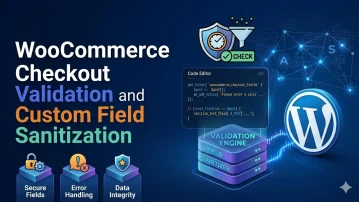
WooCommerce’s checkout validation pipeline runs through several hooks before an order is created — understanding the correct hook for each type of validation (field presence, format, business rule) prevents silent failures, duplicate error messages, and orders being placed without proper validation. Adding custom checkout fields requires both a display hook and a save hook, with sanitisation on save and validation on process.
Problem: WooCommerce checkout accepts user input — billing details, coupon codes, custom field values — that flows directly into order meta and email templates without systematic validation or sanitisation, creating potential XSS and data integrity issues.
Solution: Validate all checkout fields in the woocommerce_checkout_process action using wc_add_notice() to block submission on invalid data. Sanitise field values with appropriate WordPress functions before saving: sanitize_text_field() for names, sanitize_email() for emails, absint() for numeric values. Escape all output in email templates and order admin screens with esc_html() or wp_kses_post().
The code below adds a VAT number field to the billing form, validates its format with a regex, sanitises it on save, stores it in order meta, and displays it on the order confirmation and admin order page.
__( 'VAT Number', 'my-plugin' ),
'placeholder' => __( 'e.g. GB123456789', 'my-plugin' ),
'required' => false,
'class' => [ 'form-row-wide' ],
'clear' => true,
'priority' => 35, // after company field (30)
];
return $fields;
} );
// 2. Validate format on checkout process
add_action( 'woocommerce_checkout_process', function () {
$vat = sanitize_text_field( $_POST['billing_vat_number'] ?? '' );
if ( $vat === '' ) {
return; // optional field — skip if empty
}
// EU VAT number: 2-letter country code + 2–12 alphanumeric chars
if ( ! preg_match( '/^[A-Z]{2}[A-Z0-9]{2,12}$/', strtoupper( $vat ) ) ) {
wc_add_notice(
__( 'Please enter a valid VAT number (e.g. GB123456789).', 'my-plugin' ),
'error'
);
}
} );
// 3. Sanitise and save to order meta
add_action( 'woocommerce_checkout_update_order_meta', function ( int $order_id ) {
$vat = sanitize_text_field( strtoupper( $_POST['billing_vat_number'] ?? '' ) );
if ( $vat ) {
update_post_meta( $order_id, '_billing_vat_number', $vat );
}
} );
// 4. Display in admin order details
add_action( 'woocommerce_admin_order_data_after_billing_address', function ( WC_Order $order ) {
$vat = get_post_meta( $order->get_id(), '_billing_vat_number', true );
if ( $vat ) {
printf( '%s %s
',
esc_html__( 'VAT Number:', 'my-plugin' ),
esc_html( $vat )
);
}
} );
// 5. Include in order emails
add_filter( 'woocommerce_email_order_meta_fields', function ( array $fields, bool $sent_to_admin, WC_Order $order ): array {
$vat = get_post_meta( $order->get_id(), '_billing_vat_number', true );
if ( $vat ) {
$fields['vat_number'] = [
'label' => __( 'VAT Number', 'my-plugin' ),
'value' => esc_html( $vat ),
];
}
return $fields;
}, 10, 3 );
// 6. Business rule: require VAT number for orders over €1000 (B2B threshold)
add_action( 'woocommerce_checkout_process', function () {
$total = (float) WC()->cart->get_total( 'raw' );
$vat = sanitize_text_field( $_POST['billing_vat_number'] ?? '' );
if ( $total >= 1000 && empty( $vat ) ) {
wc_add_notice(
__( 'A VAT number is required for orders over €1,000.', 'my-plugin' ),
'error'
);
}
} );
NOTE: woocommerce_checkout_process fires for both classic checkout and block-based checkout in WooCommerce 8.3+ — but block checkout also has its own validation pipeline via StoreApi; if your site uses the Checkout block, additionally register your validation using the woocommerce_store_api_checkout_order_processed action to ensure the field is validated for block checkout orders too.