WordPress Developer Ukraine, Kyiv
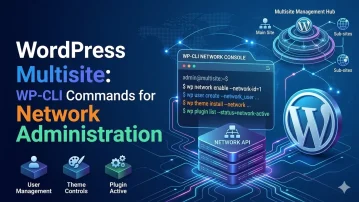
WordPress Multisite: WP-CLI Commands for Network Administration

WordPress Multisite: WP-CLI Commands for Network Administration

Managing a WordPress Multisite network via the admin UI becomes tedious at scale — creating dozens of sites, bulk-activating plugins, syncing options, or migrating sub-sites all benefit from WP-CLI’s network-aware commands. The --url flag targets individual sites; the site list, site create, and --network flags operate at the network level.

WordPress Accessibility Audit: WCAG 2.2 Compliance Checklist for Themes

WordPress Accessibility Audit: WCAG 2.2 Compliance Checklist for Themes

WCAG 2.2 (published 2023) adds nine new success criteria to the existing 2.1 standard, with the most impactful changes for WordPress themes being: 2.4.11 Focus Appearance (focus indicators must be at least 2px thick with 3:1 contrast), 2.4.12 Focus Not Obscured (sticky headers must not completely cover focused elements), and 3.2.6 Consistent Help (help links…
WordPress Local Development with wp-env: Docker-Powered Zero-Config Setup

WordPress Local Development with wp-env: Docker-Powered Zero-Config Setu ...

@wordpress/env (wp-env) is the official Docker-based local WordPress environment from the Gutenberg team. It spins up a fully configured WordPress instance in under a minute — no XAMPP, MAMP, or manual Docker Compose files required. It supports custom plugins, themes, mapped directories, multiple PHP versions, and test environments alongside development environments, all from a single…
WordPress WP-CLI Scaffolding: Generating Plugins, Blocks, and Tests

WordPress WP-CLI Scaffolding: Generating Plugins, Blocks, and Tests

WP-CLI’s scaffold command generates boilerplate for plugins, child themes, post types, taxonomies, unit tests, and — with the @wordpress/create-block scaffolder — complete Gutenberg blocks. Using scaffolding instead of copy-pasting ensures consistent file structure, correct headers, and ready-to-run PHPUnit configurations from the first commit.
WordPress Debug Logging and Developer Tooling Workflow

WordPress Debug Logging and Developer Tooling Workflow

A proper WordPress debugging workflow goes beyond enabling WP_DEBUG — it involves structured logging, query monitoring, tracking slow hooks, and making debug output accessible only to developers without exposing it to users. Getting this right speeds up plugin development and catches bugs before they reach production.
Building Custom WP-CLI Commands for Plugin Operations

Building Custom WP-CLI Commands for Plugin Operations

WP-CLI custom commands let you expose any plugin functionality as a command-line operation — useful for batch migrations, database repairs, scheduled tasks, and deployment scripts. A well-written WP-CLI command is faster, more scriptable, and more testable than a WordPress admin page.
WordPress Performance Audit Checklist for 2024

WordPress Performance Audit Checklist for 2024

A WordPress performance audit is a systematic review of every layer of the performance stack — server configuration, database queries, PHP execution, asset delivery, and third-party integrations — to identify and prioritize the changes that will have the largest measurable impact on Core Web Vitals (LCP, INP, CLS) and Time to First Byte (TTFB). Unlike…